Move the mouse over the picture elements for descriptions.
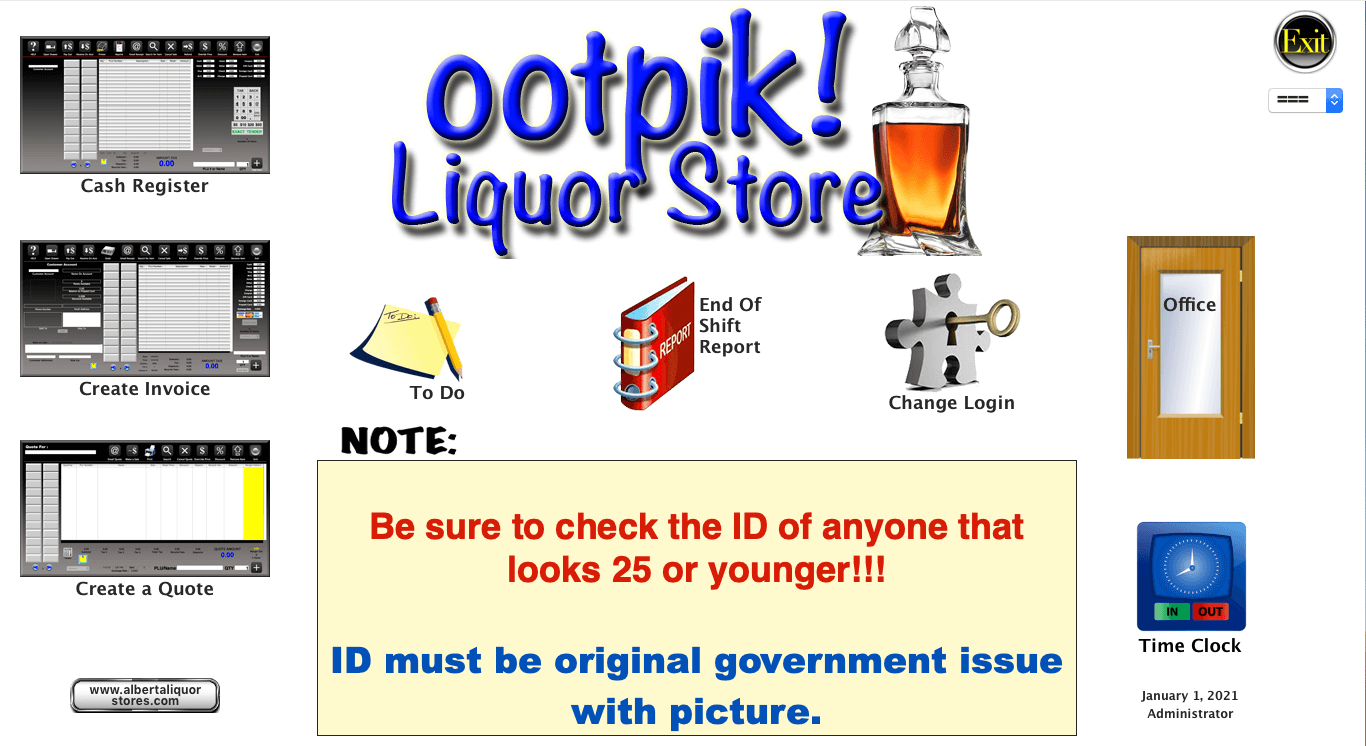
This is the Main Menu screen, the starting point for using ootpik!
From here you can also start a Sale, Invoice or Quote with one of the three buttons on the left.
Everyone sees the note which can be used to relay important messages to everyone. The note can be formatted with
different font sizes, colors and fonts to better get your message across.
You can also see the -To Do- button. This is like a job jar listing all the things that need doing in the store. The jobs can be listed by employee
number where each employee will only see those jobs they're responsible for.
Cashiers will also use the -End Of Shift Report- button to accompany their Till Balance.
The -Change Login- button allows changing the user without having to quit and restart the program.
The -Office- button takes you to another menu screen where you can access more of ootpik! This is password protected.
The -Time Clock- button is for employees to sign in and out for logging their work hours. These can be reported on for payroll purposes.